
Pawmit
A macOS desktop pet that takes over your AI coding agents' approvals, questions and task notifications
Overview
Run an AI coding agent in the background and it's easy to miss that it's waiting for your approval.
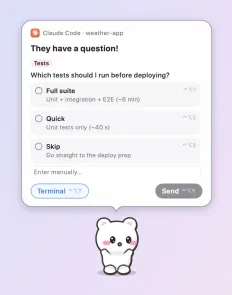
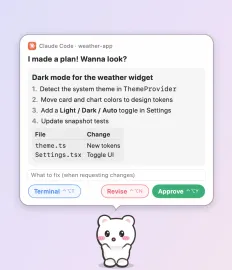
Pawmit's desktop pet takes those calls. When an agent asks, the pet runs over with a speech bubble and handles allow, deny and answers right there. The rest of the time it wanders the screen, eating, napping and doodling.
Screenshots
Features
Approvals, questions and replies in bubbles
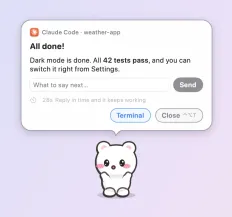
Approve or deny commands, answer questions and approve plans for Claude Code, Codex, ZCode, Copilot CLI, Qwen Code, Factory Droid and Cursor, then keep the task going with a reply when it finishes.
Full command text, risky-command warnings
Commands are shown in full, and hard-to-reverse ones are flagged. Enter never approves by accident.
Six built-in pets and Pet Maker
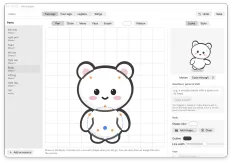
Mongle, Banban, Tokki, Nalda, Bamtol and Haedal, plus a four-legged cat. Draw your own or describe it in words with Pet Maker, and share pets as `.pawmitpet` files.
A day driven by personality
Eight personalities picked at birth change how a pet moves, feels and speaks. Add up to four friends, and pets cross between monitors on their own.
Chat with your pet
Sign in with a CLI or add an API key and you can chat with the pet. Model lists load automatically, and history survives restarts.
Doodles that fade away
31 line designs and 12 picture designs in 5 palettes to doodle on your screen. They fade out over time and erase themselves.
Data and permissions
- No sign-up or accounts.
- Chat API keys are stored only in the macOS Keychain, never in settings files.
- Pets, settings and chat history stay in a folder on this device (~/.pawmit/).
Note
The app is not notarized by Apple, so macOS asks on first launch. Click "Open Anyway" in System Settings → Privacy & Security.